
Help Centre › Inbox & leads
WhatsApp 24-hour window
Why you sometimes can only send an approved message.
Free chat — any message (24 hours)Only approved messages
Customer’s last message24 hours laterCustomer replies → open again
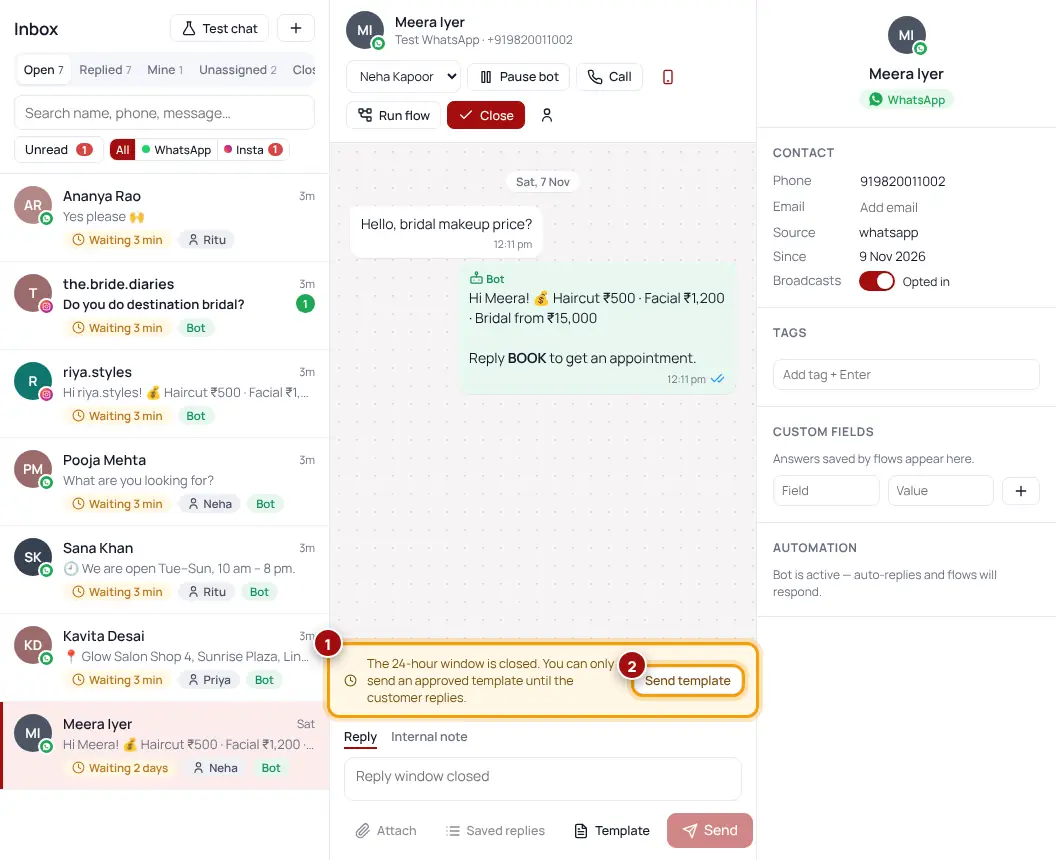
WhatsApp lets businesses send any message for free for 24 hours after the customer’s last message. After that, you can only send an approved message (template) until the customer replies.
- See “The 24-hour window is closed”?Click “Send template”.
- Pick an approved messageFor example a follow-up: “Hi {name}, following up on your enquiry…”.
- When they replyThe window opens again for 24 hours and you can chat normally.
Was this helpful?Thanks! Need more help? Ask the help assistant