
Help Centre › Inbox & leads
Lead sheet & follow-ups
Every enquiry becomes a row — update it after each call.
WhatsApp / Instagram
Website & ad forms
PortalsJustDial, IndiaMART…
Lead sheetone row per enquiry
Follow-upreminder on time
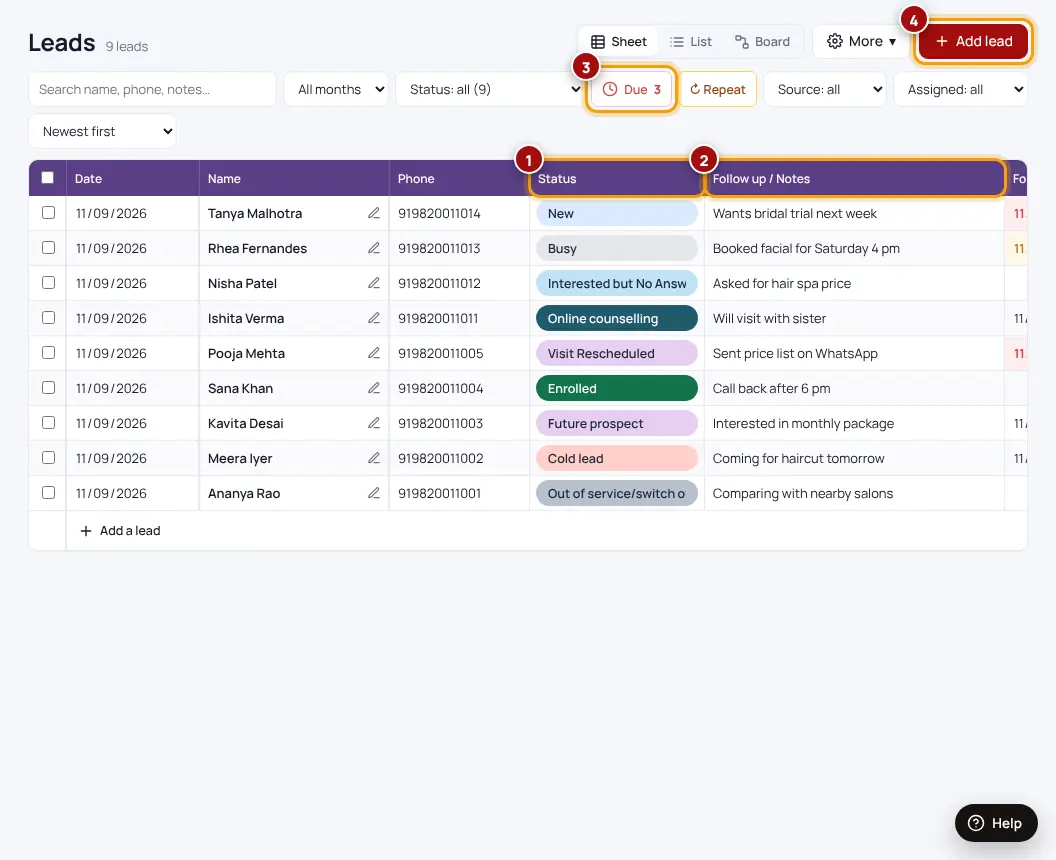
- Open LeadsSheet, List or Board view — use List on your phone.
- After each callChange the status and write a short note.
- Set a follow-up dateYou get a reminder and it shows in Follow-ups.
- Repeat enquiriesIf the same person enquires again, the row gets a ↻ badge instead of a duplicate.
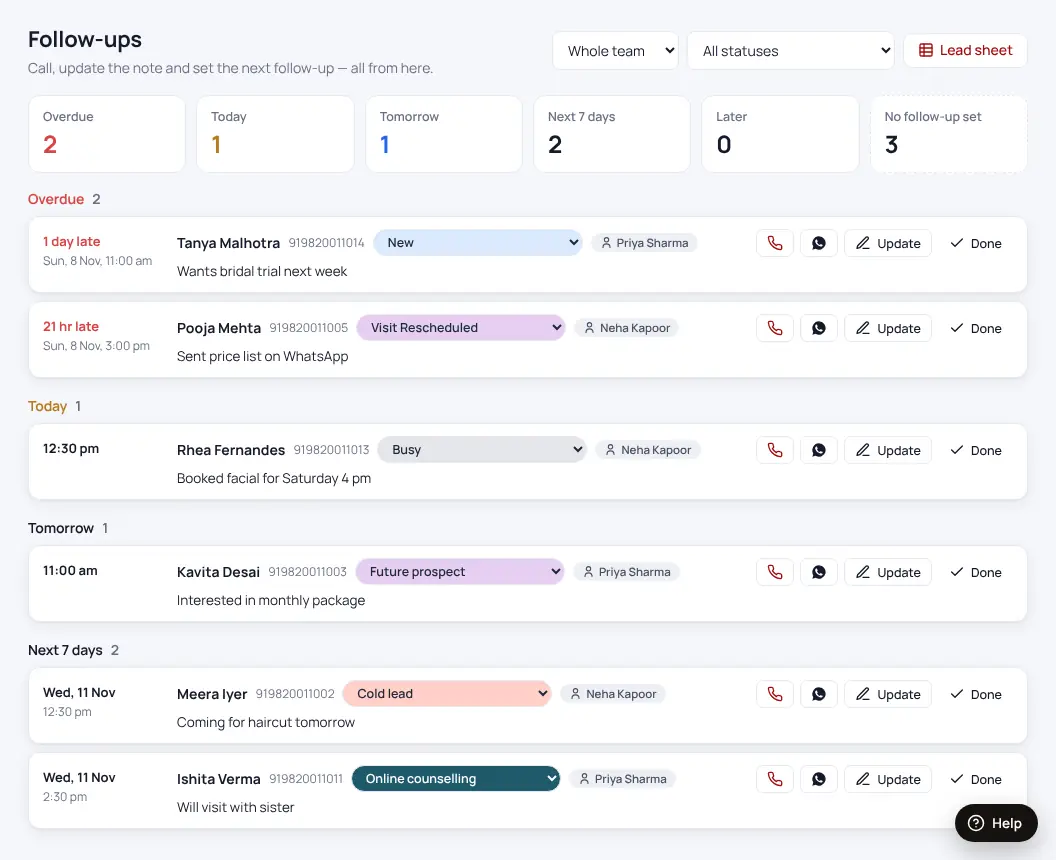
Owners get a team summary every evening at 7 pm and a weekly report on Monday (bell icon → settings).
Was this helpful?Thanks! Need more help? Ask the help assistant