
Help Centre › Automation
Comment → DM on Instagram
When someone comments a word like INFO on your reel, they get a DM instantly.
Customer comments“INFO” on your reel
Reply under the comment“Sent you a DM! 📩”
DM with detailsinstantly, 24×7
New leadin your lead sheet
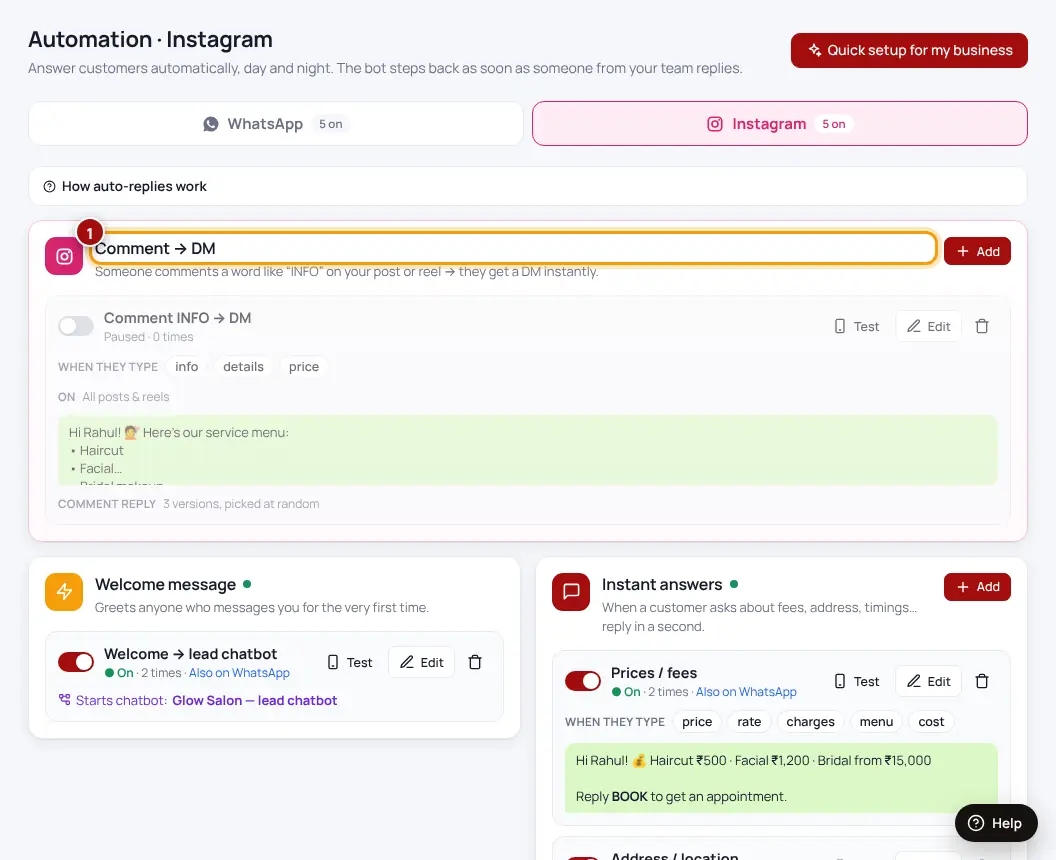
- Automation → Instagram → Comment → DMAdd a new Comment → DM.
- Which posts or reels?Choose posts, or leave empty for all posts (paid plans).
- Which words in the comment?For example INFO, PRICE, LINK. Leave empty to reply to every comment.
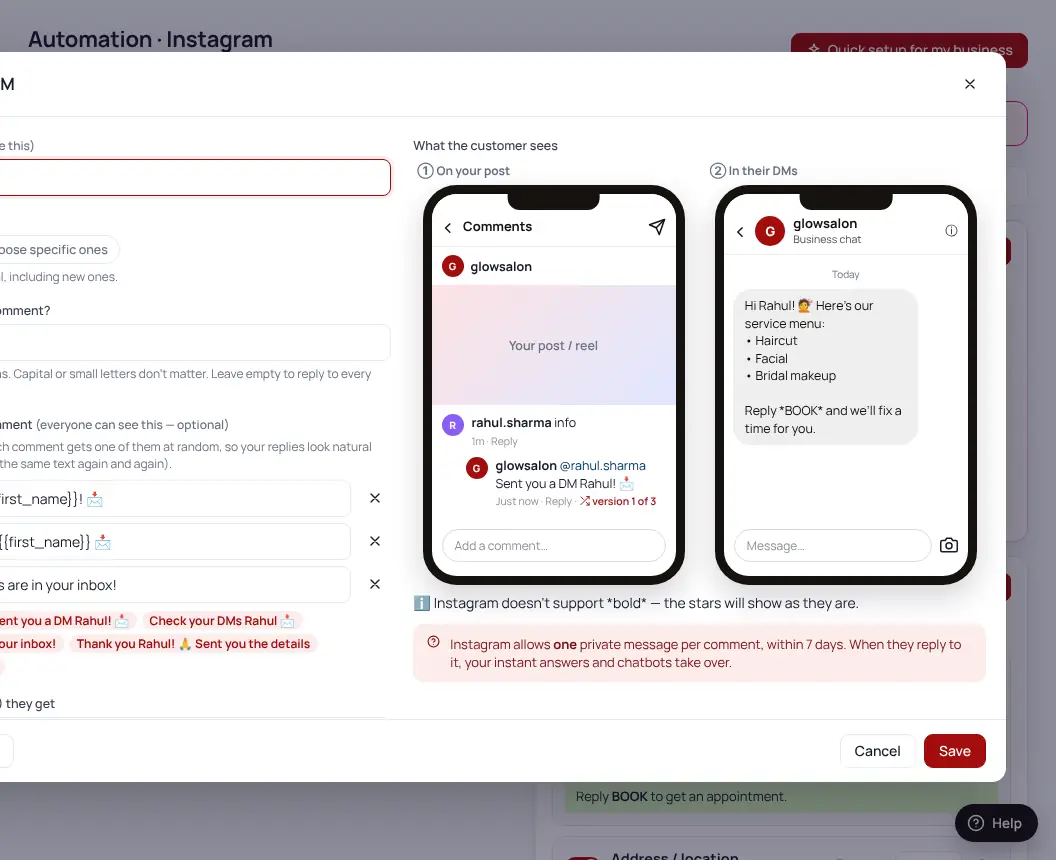
- Reply under their commentWrite up to 3 versions — one is picked at random so replies don’t all look the same.
- Private message (DM)What they receive in their DMs. Add a link or ask a question.
- Switch it onThen write “Comment INFO” in your caption.
Instagram allows one DM per comment, within 7 days. When they reply to it, your instant answers and chatbots take over.
| Plan | Comment → DM |
|---|---|
| Free | 5 posts · 1,000 DMs a month |
| Insta DM and above | All posts & reels · 10,000+ DMs a month |
Was this helpful?Thanks! Need more help? Ask the help assistant