
Help Centre › Plans, team & account
Add your team
Give each person their own login and choose what they can see.
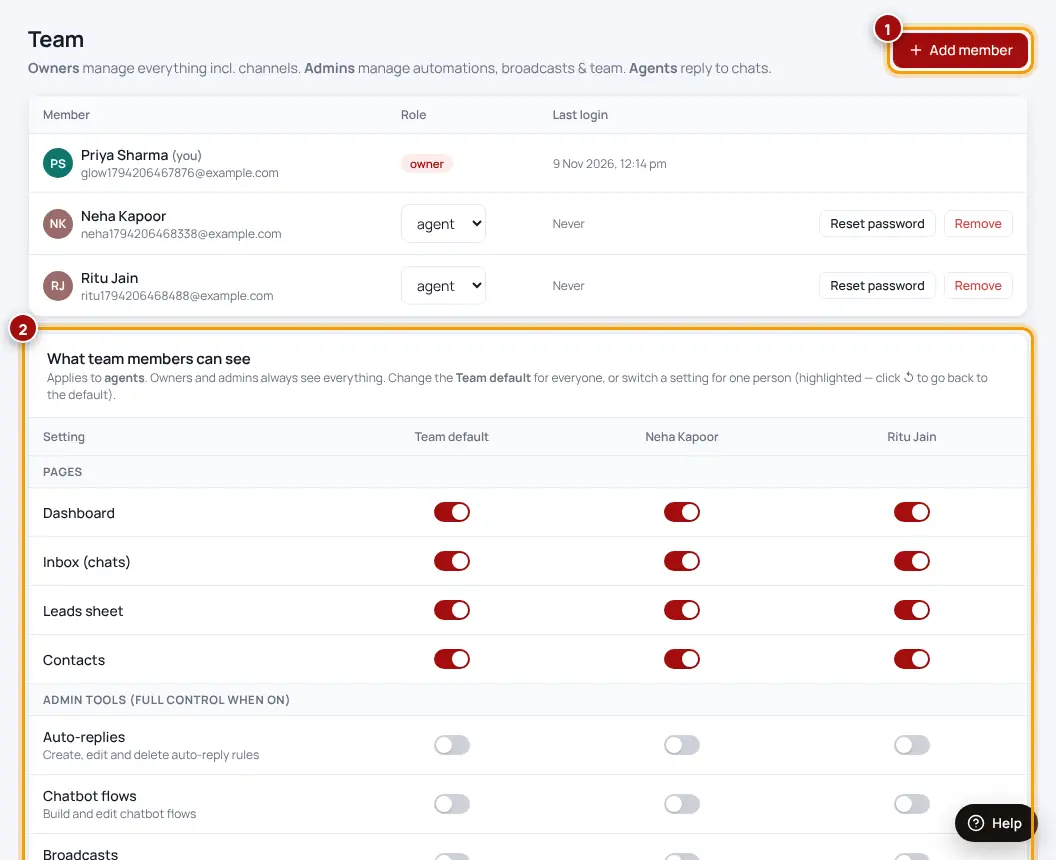
- Team → Add memberEnter their name and email. They get their login by email.
- Choose permissionsWhat they can see and do — inbox only, leads, automation…
- Share leads automaticallyNew leads can be assigned to the team in turns.
Was this helpful?Thanks! Need more help? Ask the help assistant