
Help Centre › WhatsApp messages
Approved messages (templates)
Messages Meta approves so you can message customers first.
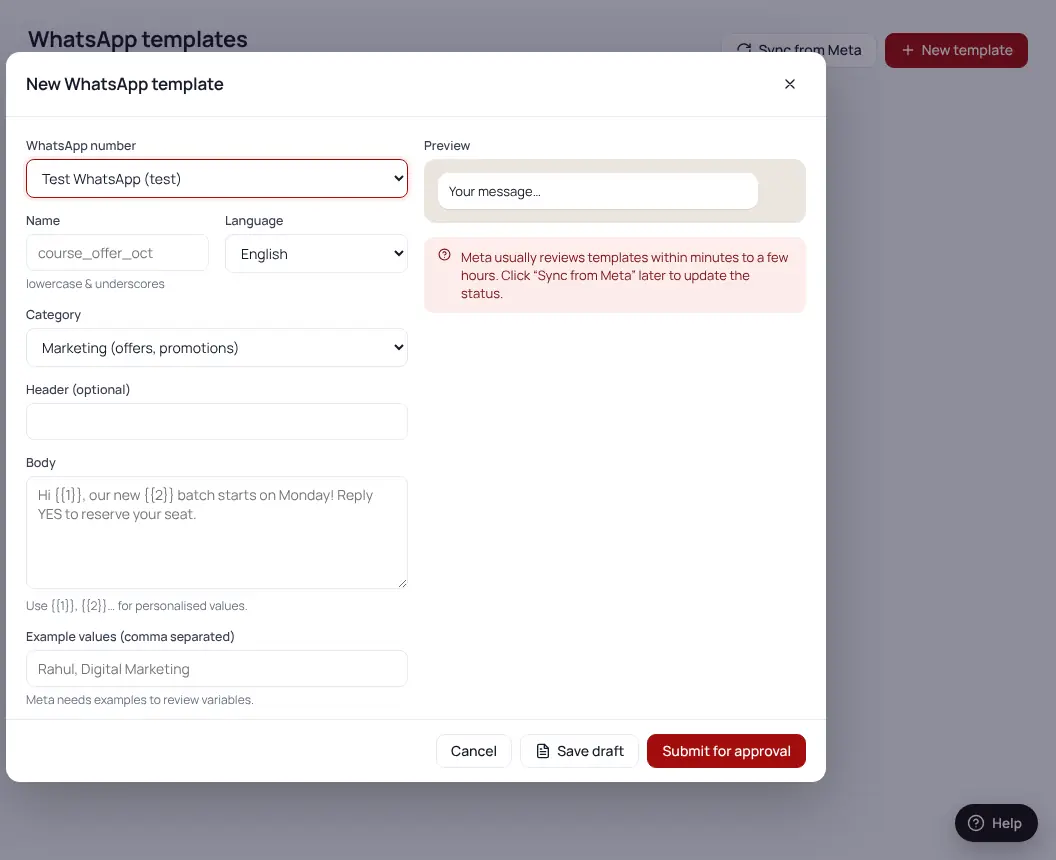
- Templates → New templateClick “More features” in the menu if you don’t see it.
- Write the messageUse {{1}} where the customer’s name should go.
- Submit for approvalUsually approved within minutes.
- Rejected?Make it less salesy, remove ALL CAPS and too many emojis, and submit again.
| Type | Use it for |
|---|---|
| Utility | Follow-ups, reminders, confirmations — cheaper |
| Marketing | Offers, announcements, festivals |
Was this helpful?Thanks! Need more help? Ask the help assistant
Next: Broadcasts →