
Help Centre › Getting started
Your Dashboard explained
What each part of the Dashboard shows and what to do with it.
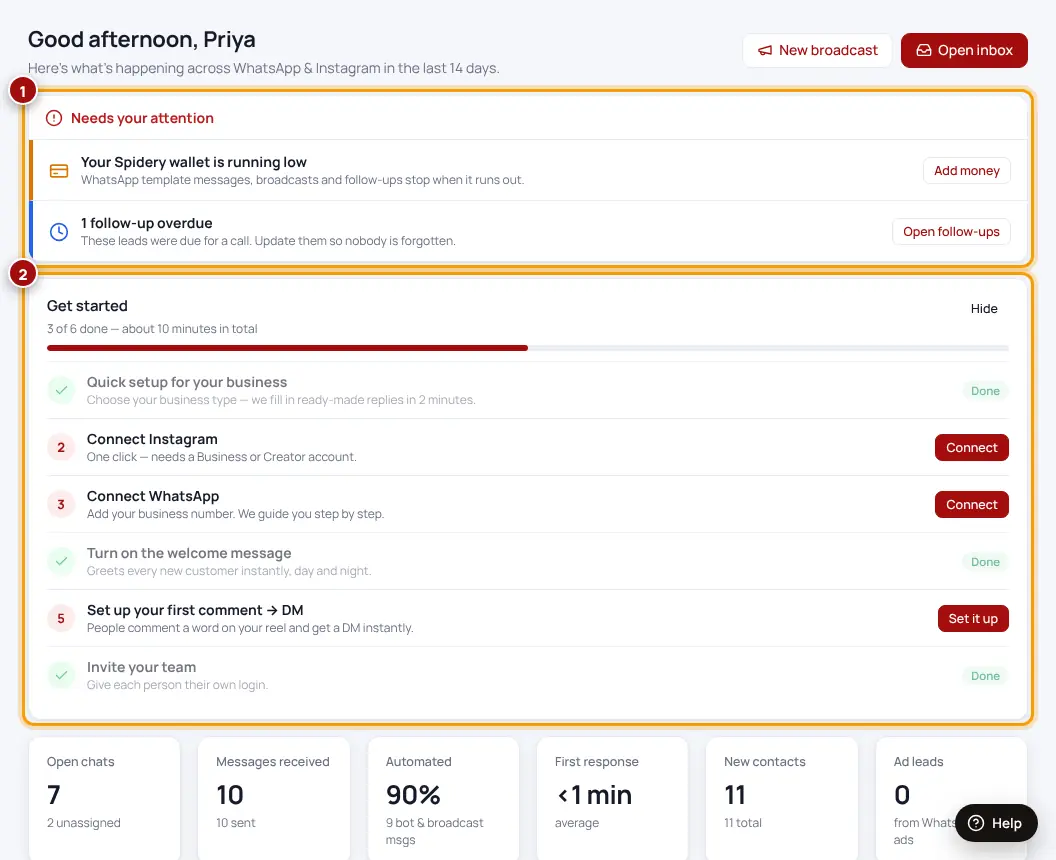
- Needs your attention — anything that stopped working (Instagram needs reconnecting, follow-ups overdue, DMs running out). Tap the button next to it to fix it.
- Get started — your setup checklist. Hide it once everything is done.
- Numbers — open chats, messages received, how many were answered automatically, first response time, new contacts and ad leads.
- Message volume — chats per day for WhatsApp and Instagram.
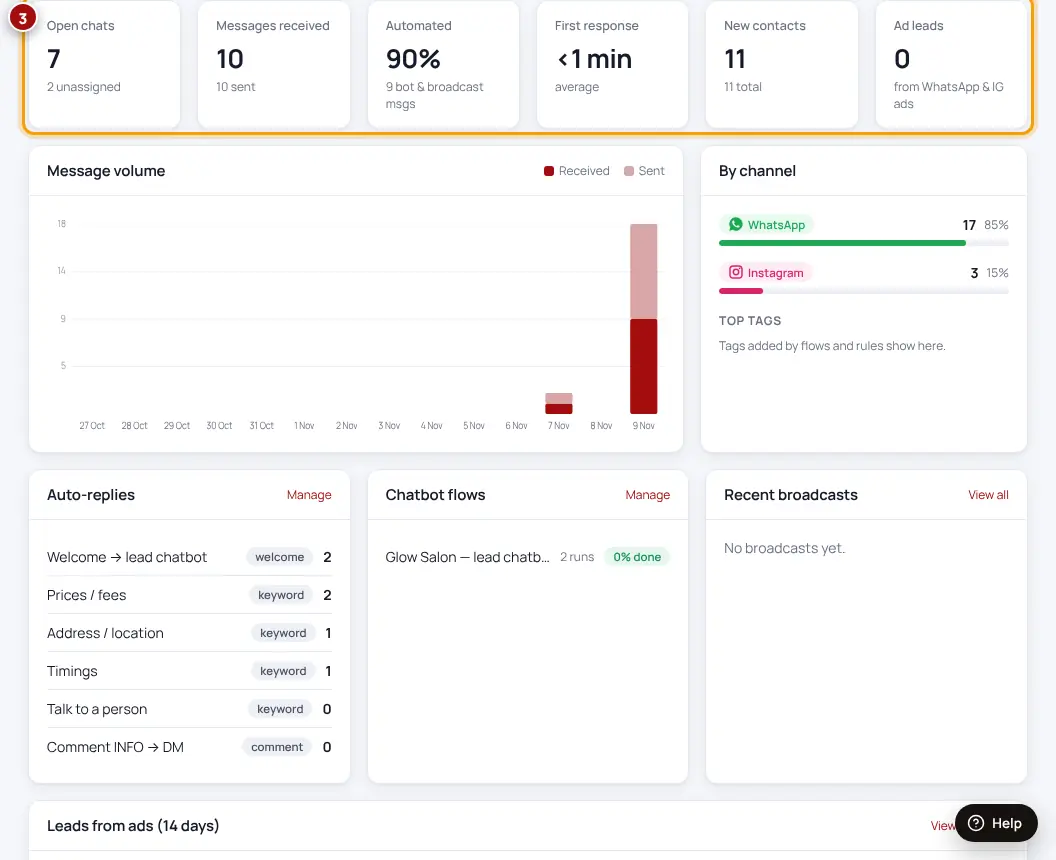
Red on the Dashboard means “do this first”. Everything else can wait.
Was this helpful?Thanks! Need more help? Ask the help assistant
Next: Quick setup for your business type →