
Help Centre › Getting started
Quick setup for your business type
Fill one form and get a welcome message, answers for prices, address, timings and a lead chatbot.
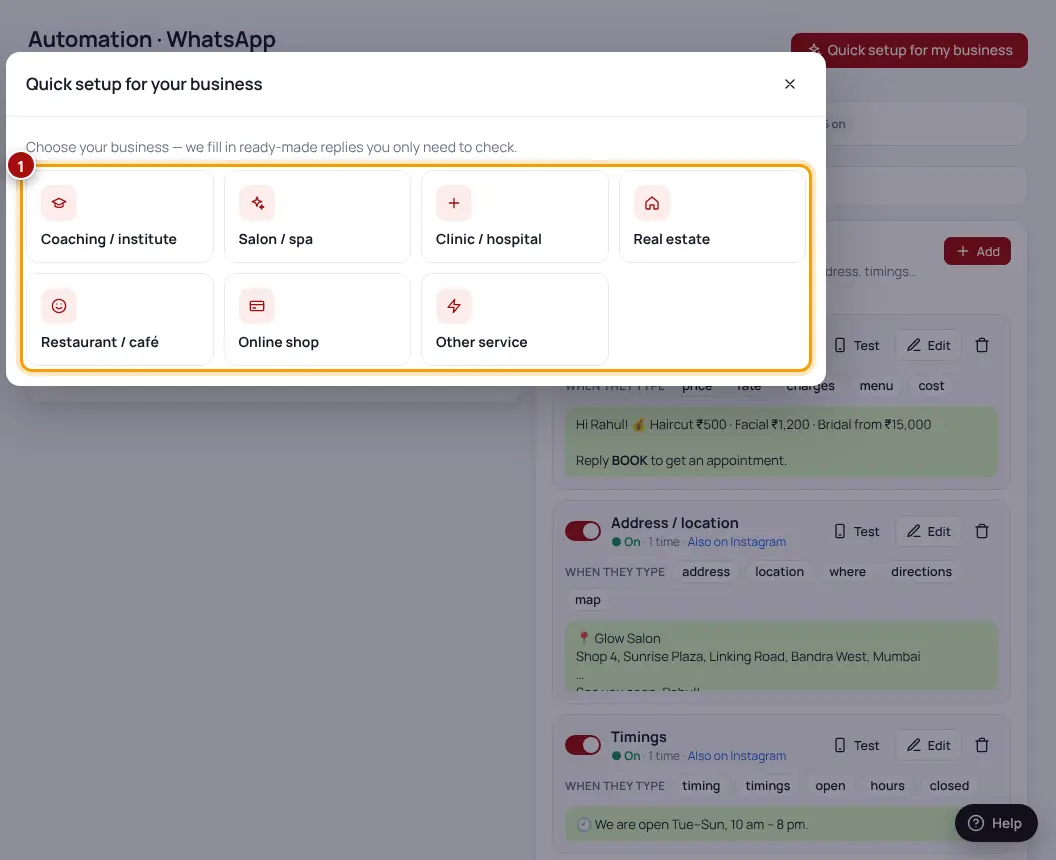
- Open Quick setupDashboard → Get started → “Set it up”, or Automation → “Quick setup”.
- Pick your business typeCoaching / institute, Salon / spa, Clinic / hospital, Real estate, Restaurant / café, Online shop or Other service.
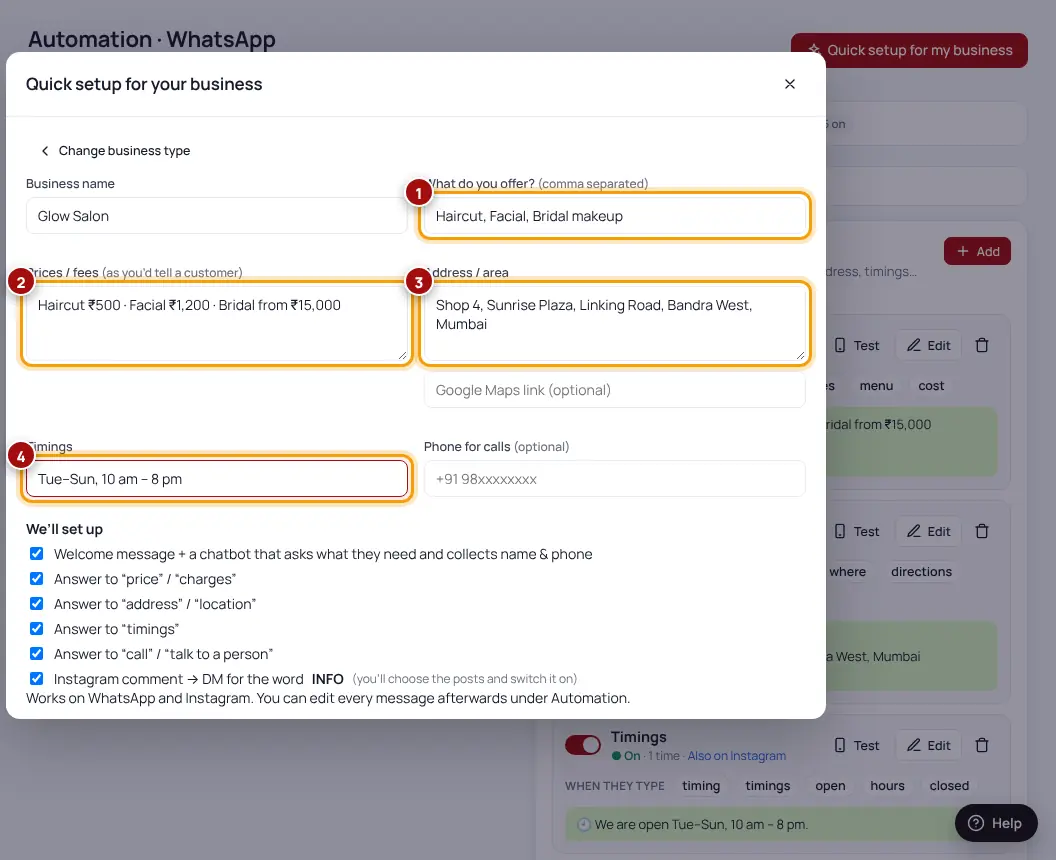
- Fill in your detailsWhat you offer, prices (as you would tell a customer), address, timings and a phone number for calls.
- Click “Set it up”We create the replies. You can change any message later under Automation.
| What we create | What it does |
|---|---|
| Welcome message + chatbot | Greets new customers and collects their name & phone |
| Answer for “price”, “fees” | Sends your prices |
| Answer for “address”, “location” | Sends your address and map link |
| Answer for “timings” | Sends your opening hours |
| Answer for “call” | Shares your phone number |
| Comment → DM for INFO | Created switched off — choose your posts, then switch it on |
Was this helpful?Thanks! Need more help? Ask the help assistant
Next: Connect Instagram →